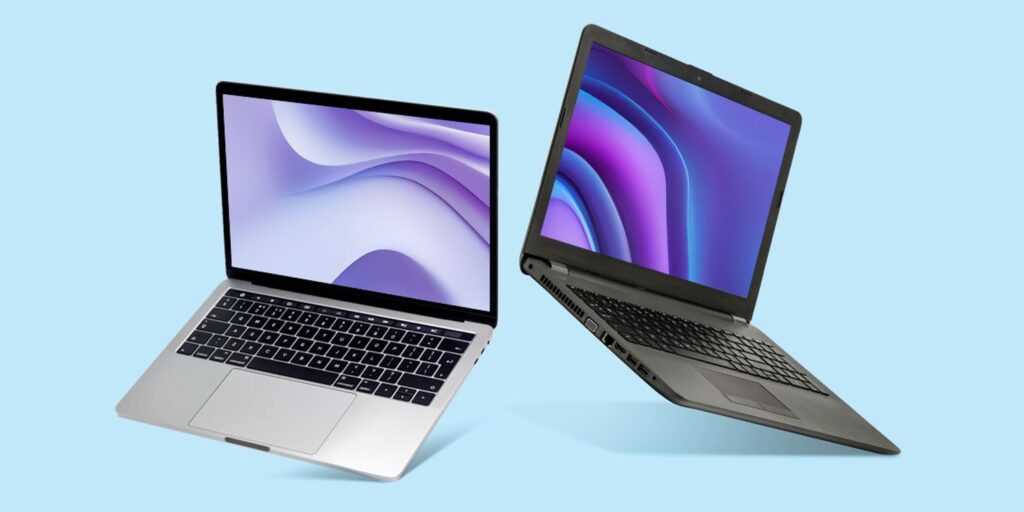

Purchasing a laptop can be a significant investment, so it’s important to choose one that fits your needs and provides good value for your money. Here are some essential tips to help you buy a good laptop:
1. Determine Your Needs
- Purpose: Identify what you’ll primarily use the laptop for—work, gaming, multimedia, or casual use. Different purposes require different specifications.
- Portability: Consider the laptop’s size and weight if you need a portable device. Ultrabooks and lightweight laptops are ideal for frequent travelers.
2. Set a Budget
- Price Range: Set a budget range before you start shopping. This helps narrow down your options and ensures you don’t overspend.
- Value for Money: Look for laptops that offer the best features and performance within your budget.
3. Choose the Right Specifications
- Processor (CPU): The CPU is the brain of your laptop. For general use, an Intel Core i5 or AMD Ryzen 5 is sufficient. For more demanding tasks, consider an Intel Core i7/i9 or AMD Ryzen 7/9.
- Memory (RAM): At least 8GB of RAM is recommended for basic tasks. For multitasking, gaming, or professional software, 16GB or more is ideal.
- Storage: Solid State Drives (SSDs) are faster and more reliable than Hard Disk Drives (HDDs). Opt for at least 256GB SSD for better performance. You can also consider a combination of SSD and HDD for more storage.
4. Display Quality
- Resolution: A Full HD (1920×1080) resolution is standard and provides clear visuals. For creative work, consider higher resolutions like 4K (3840×2160).
- Size: Choose a screen size that suits your needs. 13-14 inches is ideal for portability, while 15-17 inches is better for productivity and gaming.
- Panel Type: IPS panels offer better color accuracy and viewing angles compared to TN panels.
5. Graphics Capabilities
- Integrated vs. Dedicated GPU: Integrated graphics are fine for basic tasks and light gaming. For gaming, video editing, and graphic-intensive work, choose a laptop with a dedicated GPU (e.g., NVIDIA or AMD).
6. Battery Life
- Usage: Consider how long you need the laptop to run on a single charge. Ultrabooks and some business laptops offer excellent battery life, often exceeding 8 hours.
- Reviews: Check user reviews and professional tests to get an idea of real-world battery performance.
7. Keyboard and Touchpad
- Comfort: Ensure the keyboard is comfortable for typing, especially if you plan to use the laptop for long periods.
- Backlighting: A backlit keyboard is helpful for low-light conditions.
- Touchpad: The touchpad should be responsive and support multi-touch gestures.
8. Connectivity Options
- Ports: Ensure the laptop has the necessary ports such as USB-A, USB-C, HDMI, audio jack, and an SD card reader.
- Wireless Connectivity: Look for laptops with the latest Wi-Fi 6 standard and Bluetooth 5.0 for better performance and connectivity.
9. Operating System
- Windows, macOS, or Linux: Choose an operating system based on your preferences and software requirements. Windows is versatile, macOS is known for its smooth experience, and Linux is preferred by developers.
10. Build Quality and Durability
- Material: Check the build quality and materials used. Metal or high-quality plastic bodies are more durable.
- Brand Reliability: Research the brand’s reputation for build quality and customer support.
11. Check Reviews and Ratings
- Professional Reviews: Read reviews from reputable tech websites to get detailed insights into the laptop’s performance and features.
- User Feedback: Look at user reviews on retail sites to learn about real-world experiences and potential issues.
12. Warranty and Support
- Warranty: Check the warranty period and what it covers. A longer warranty can provide peace of mind.
- Customer Support: Research the brand’s customer service quality and availability.
By considering these factors, you can make a well-informed decision and choose a laptop that best suits your needs and budget. Happy laptop hunting!